

The delivery lifecycle
Every delivery follows a clear, observable lifecycle. There are three logical phases: Order ingestion, Dispatch, and Tracking.010 min20 min30 mincustomerstorewherever the driver wasa moment, stretchedorder ingestiondispatchtracking
010 min20 min30 mincustomerstorewherever the driver wasa moment, stretchedorder ingestiondispatchtracking
Time runs left to right, places bottom to top, and every kink in the driver’s line is a delivery status. The accent marks the moment Nash acts. Timings are illustrative.
Order ingestion
The starting point for Nash is information about a potential delivery. You submit pickup and dropoff details, package information, and timing requirements. This can come through the REST API, a CSV upload in the Portal, or an integrated demand source (such as Shopify or Toast). Typical fields include:- Pickup address
- Dropoff address
- Contact information
- Package details
- Delivery window
Dispatch
Dispatch is the set of actions that decide which provider fulfills the delivery. You can:- Manually select a provider from the returned quotes (in the Portal or via Select Quote), or
- Automatically dispatch using a dispatch strategy that selects a provider according to your configured rules.
Tracking
Once dispatched, Nash provides continuous updates as the delivery moves through its status transitions until it reaches a terminal state. Typical transitions include:- Driver assigned
- En route to pickup
- Picked up
- In transit
- Delivered
- Failed
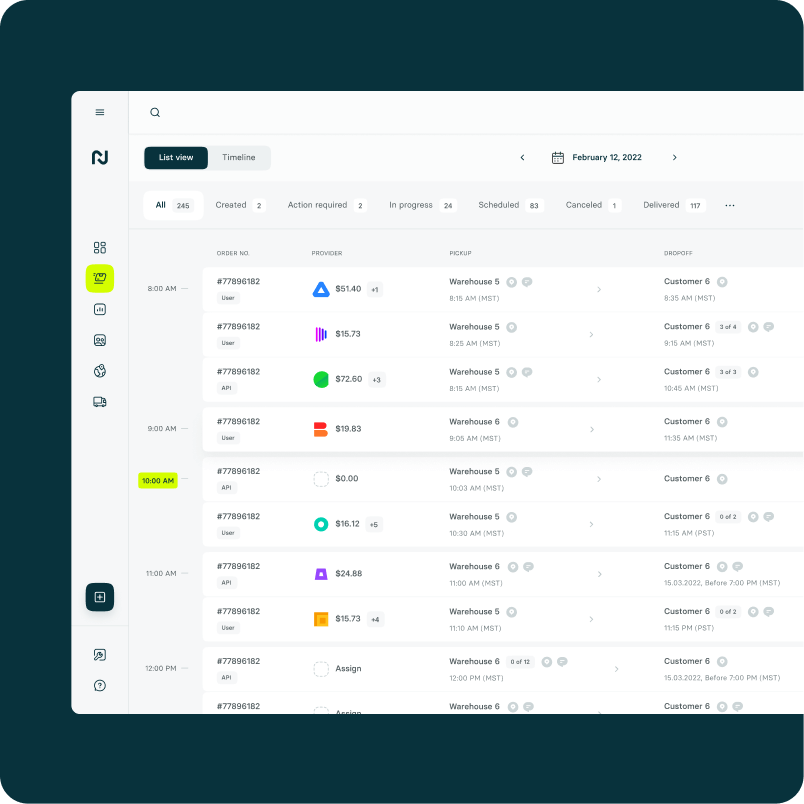
The provider network
Nash connects you to 80+ delivery providers through one integration — from national on-demand providers like Uber and Roadie to specialty and regional couriers. You can also bring your own fleet and manage it alongside third-party providers in one place. Because Nash competitively quotes across eligible providers and lets you negotiate contract pricing, you get coverage and price flexibility without integrating each provider yourself. You decide which providers are available to a given delivery through your dispatch strategies.Core building blocks
These are the primitives you work with when integrating Nash.Orders & Jobs
An order captures a potential delivery and produces quotes. Once dispatched to a provider, it becomes a job (delivery) that you track to completion.
Dispatch Strategies
Reusable configurations that decide which provider fulfills a delivery — by lowest price, a preferred order of providers, or reliability — with auto-dispatch, fee caps, and failover settings.
Workflows
An automation engine that responds to events with filters and actions — applying a dispatch strategy, tagging or modifying orders, sending notifications, and more.
Webhooks
Real-time event notifications (status updates, ETA changes, delays, proof of delivery) delivered to your endpoint so you can keep your systems and customers in sync.
Tracking
Live status and location for every delivery, available through the Portal, the API, and webhooks, with customizable tracking links for your end customers.
Routes & Optimization
Group multiple orders into efficient, constraint-aware routes for your own fleet, then dispatch them. See Route Optimization.
Automatic failover
If a provider fails — a driver cancels, no driver accepts, or an SLA breach becomes likely — a dispatch strategy can be configured to reassign the delivery automatically: Nash detects the failure or risk, fetches fresh quotes from the remaining providers, dispatches to the next best option, and continues tracking. This behavior is controlled by your dispatch strategy settings.Where Nash Agent fits
Everything above runs on rules you configure. Nash Agent handles what rules can’t: investigating a late delivery, recommending a strategy change, watching a risky order until it resolves. It acts with a confirmation step — scoped to your organization and your permissions.Nash intervened — the moment a recommendation becomes an action. The agent docs cover how to control exactly when that’s allowed.
Nash Agent overview
What the copilot can see, what it can do, and what it asks first.
Guardrails & confirmations
Which actions run automatically — and which wait for your sign-off.
Why teams use Nash
The pattern across all of it: one integration, and the hard parts of delivery become configuration instead of code.- Coverage without integrations. On-demand, scheduled, multi-stop, and batched deliveries across 80+ providers and your own fleet — managed in one place.
- Cost under control. Quotes are competitive by default; dispatch strategies pick by price, ETA, reliability, or your own blend, and Nash’s volume helps on contract rates.
- Speed you can see. Real-time courier and ETA visibility, route optimization for your fleet, and automatic failover when a provider falls through.
- Customers kept in the loop. Live tracking pages and notifications that ride the same events your systems consume.
Next steps
Create an order
Submit a delivery and retrieve provider quotes.
Dispatch strategies
Configure how Nash selects a provider for each delivery.
Webhooks
Receive real-time delivery events on your endpoint.
API overview
Explore the full API reference.